


HOW IT WORKS
Add context to your files. Find information the way you naturally think.
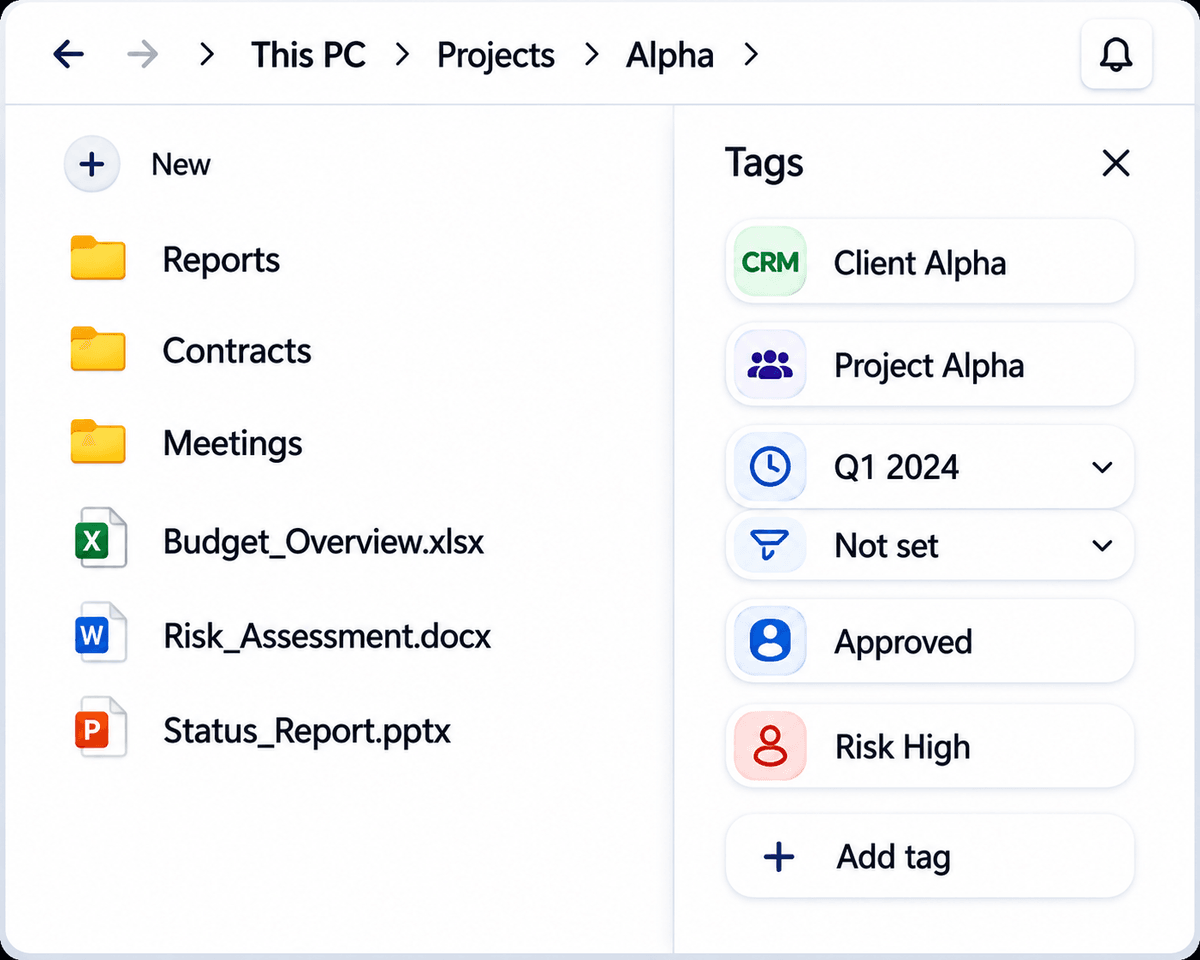
Tagging for Windows adds a contextual layer to your existing file system - allowing files to be retrieved through projects, clients, status, themes, and relationships instead of rigid folder paths.
THE OLD WAY
Rigid folder structure

THE NEW WAY
Contextual access through tags

=> Works with Windows File Explorer => No Migration => Your data stays where it is
THE PROBLEM WITH FOLDERS
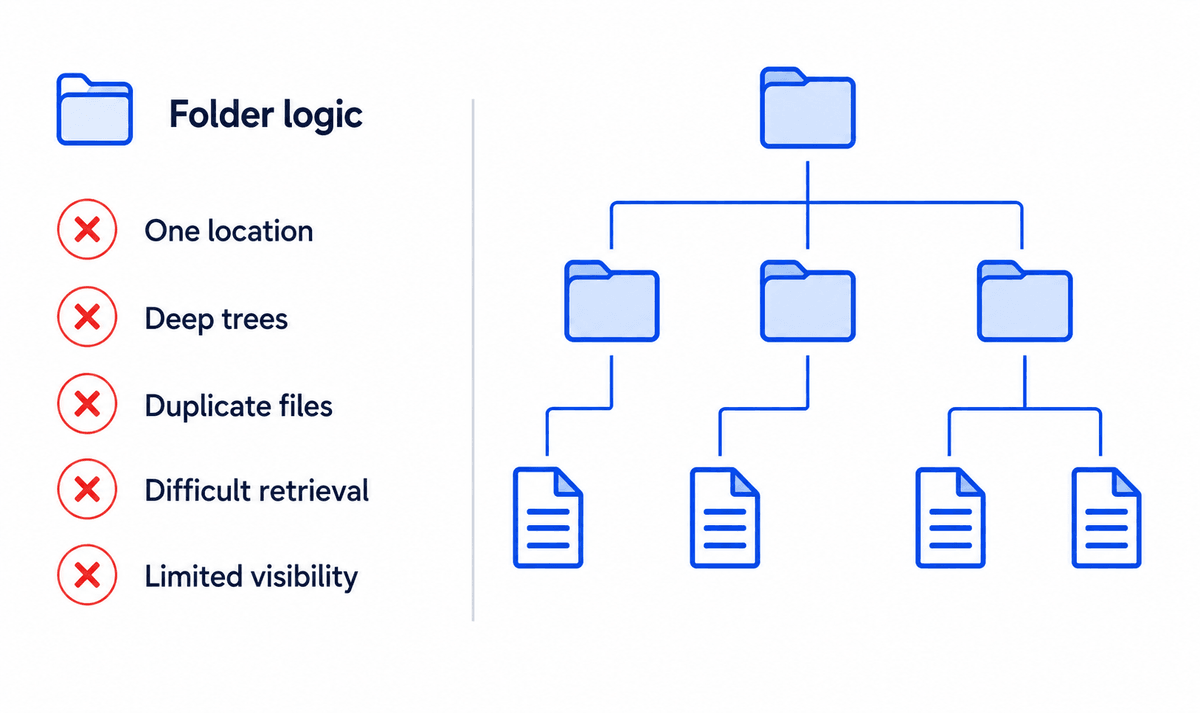
Traditional folders force modern work into a single structure.
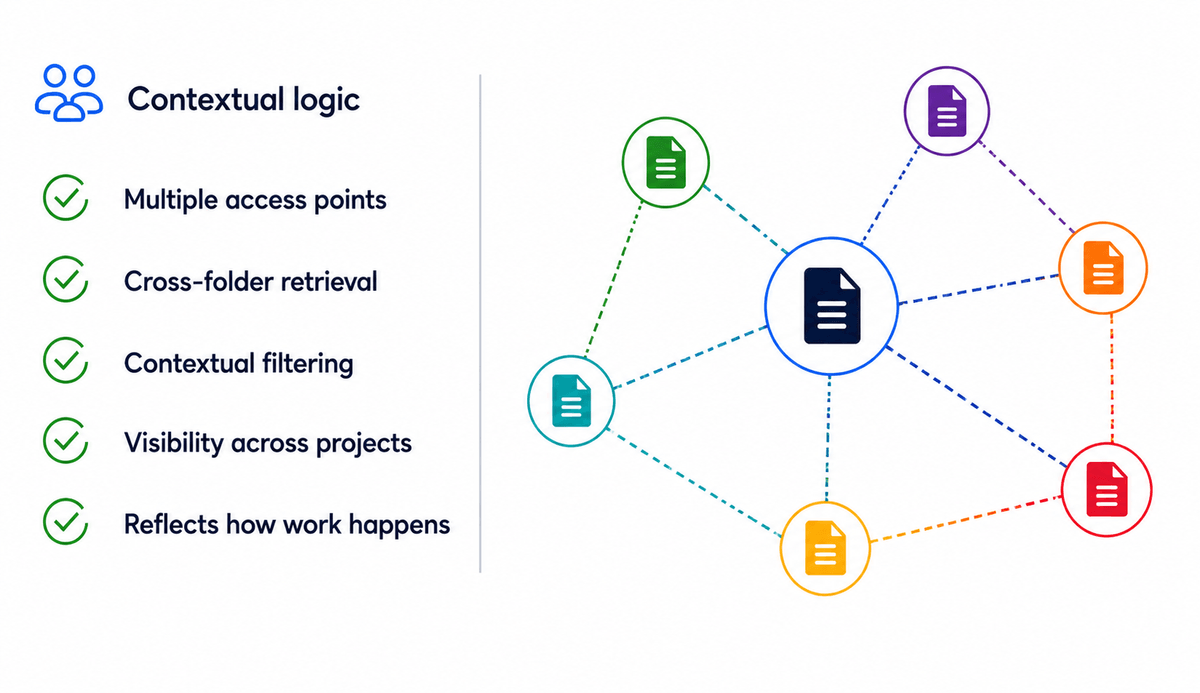
A document may relate simultanously to a client, a project, a risk category, a quarter, and a strategic initiative.
Folder structures force one location.
Tagging allows multipl,e contexts to coexist.
STEP 1 - TAG FILES
Add meaningful context to files
Instead of deciding where a file belongs, simply describe what it relates to.
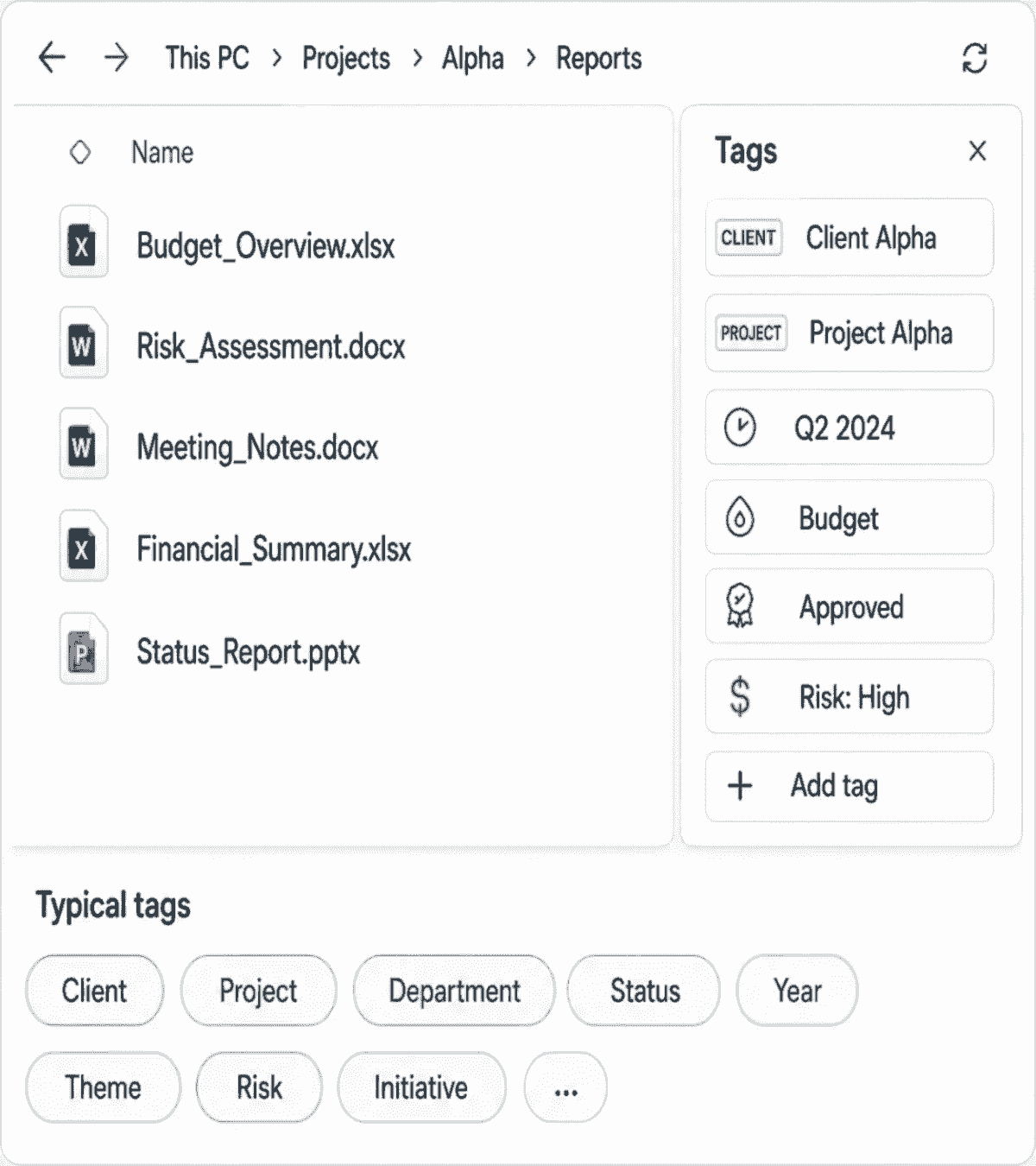
Tags do not replace folders.
They add a second layer of contextual organization.
STEP 2 - FILTER ACROSS FOLDERS
Retrieve information through context
Retrieval no longer depends on remembering where a file was stored.
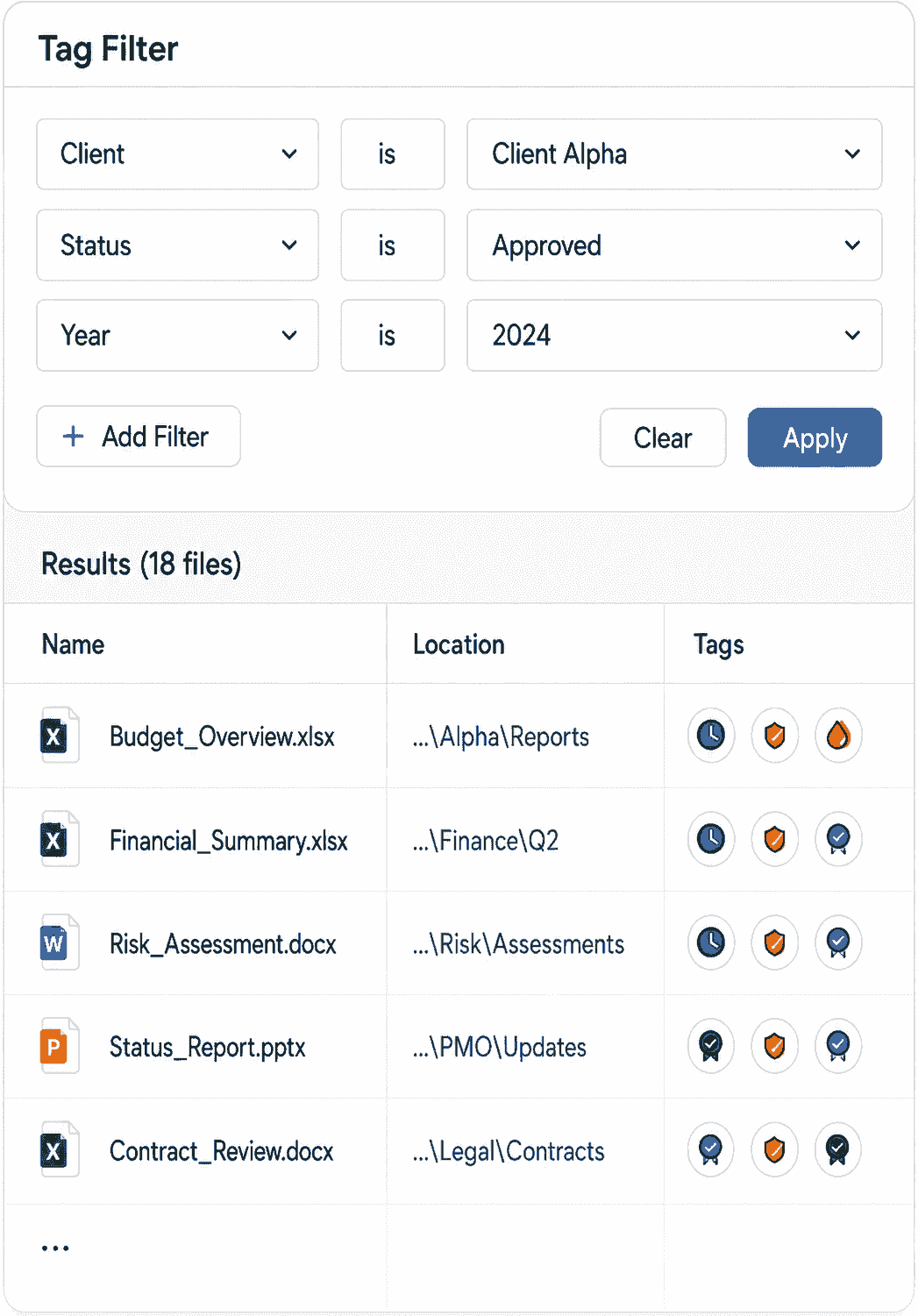
Any meaningful context becomes an access point.
Find across projects, departments, and folders instantly.
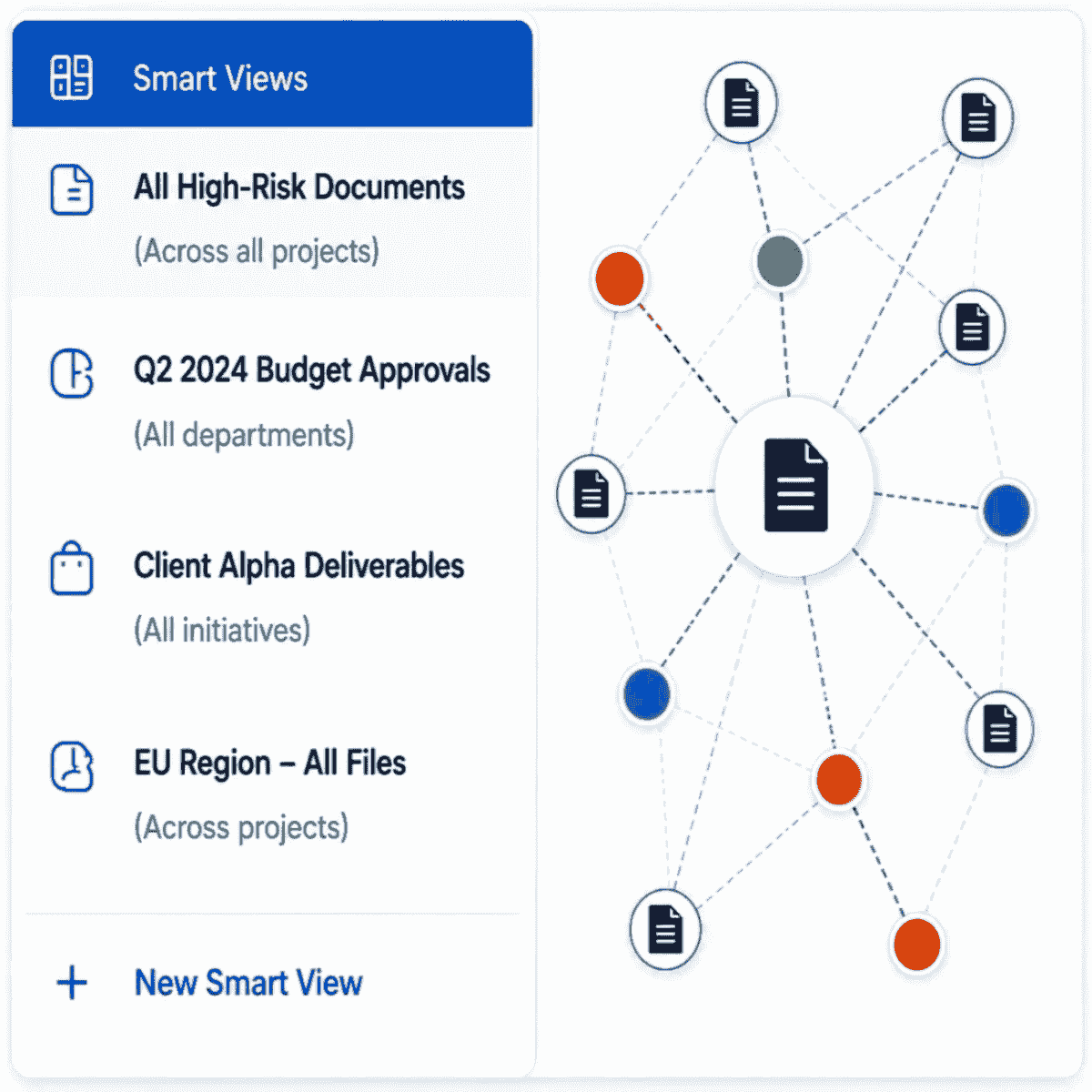
STEP 3 - CREATE SMART VIEWS
Build dynamic views across your organization
Smart Views reveal relationships that traditional folder structures often hide.
WHY IT FEELS NATURAL
Designed around how people actually remember information.
Human memory operates through association rather than rigid categories.
Tagging aligns digital organization with how people naturally think.
Traditional retrieval
Requires remembering:
> Exact folder paths
> Storage decisions
> Nested structures
Contextual retrieval
Uses:
v Recognition
v Associations
v Meaningful cues
REAL WORKFLOW EXAMPLES
How teams use Tagging for Windows
Project Managers
Track deliverables across overlapping projects and milestones with ease.
Compliance Teams
Retrieve audit-related files instantly and stay inspection-ready.
Engineering Teams
Connect specifications, risks, versions, and components effortlessly.

Leadership Teams
Surface strategic themes across departments and initiatives.
Consultants
Find information across multiple clients and engagements.
WINDOWS INTEGRATION
Built directly into your existing Windows workflow.
> Works with Windows File Explorer
> No migration needed
> Keep existing folder structures
> Works alongside OneDrive, Dropbox, Google Drive and others
> Add contextual organization without replacing current systems

THE SECOND LAYER
More than tagging.
A new model for organizing digital work.
"The Second Layer" explores why hierarchical systems struggle under modern complexity - and how contextual tagging transforms static file systems into intelligent knowledge environments.


